Fixing corrupt frigate.db
April 2026
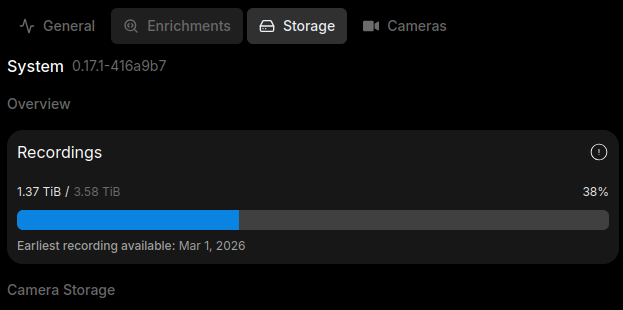
Just checking my camera server and noticed my 4TB NVR drive is almost full. WTF? Frigate has auto cleanup. Then I discovered it. I was supposidly using 8TB/4TB according to frigate webpage. Yes I fucked up, forgot to take a screenshot before, just believe me. This means the frigate DB is not being synced with the actual data. This is actually good default behaviour, prevents the disk trying to cleanup every single time, which can strain low powered edge devices. FYI I already deleted all the recordings in the past few months, which freed over 2TB.
In the configuration reference there is a line:
record:
  # Optional: Enable recording (default: shown below)
  # WARNING: If recording is disabled in the config, turning it on via
  #          the UI or MQTT later will have no effect.
  enabled: False
  # Optional: Number of minutes to wait between cleanup runs (default: shown below)
  # This can be used to reduce the frequency of deleting recording segments from disk if you want to minimize i/o
  expire_interval: 60
  # Optional: Two-way sync recordings database with disk on startup and once a day (default: shown below).
  sync_recordings: False
sync_recordings: False, which Two-way sync recordings database with disk on startup and once a day. So this will sync the recording disk, perfect, exactly what I need. I added this config, restarted, but then I got a warning that I was trying to cleanup >80% and the cleanup was aborted. This is a safety check implemented. If you take a look at src code frigate/util/media.py, make sure to switch to production tag not dev:
        if float(len(recordings_to_delete)) / max(1, recordings.count()) > 0.5:
            logger.warning(
                f"Deleting {(len(recordings_to_delete) / max(1, recordings.count()) * 100):.2f}% of recordings DB entries, could be due to configuration error. Aborting..."
            )
            return False
You see if the files to delete > 50%, it will first log a warning, then return false, which aborts the cleanup. Now back on the NVR, I executed docker exec -it frigate bash, this drops me into the shell of frigate. Working directory is /opt/frigate. I patched the file frigate/record/util.py:
        if float(len(recordings_to_delete)) / max(1, recordings.count()) > 0.5:
            logger.warning(
                f"Deleting {(len(recordings_to_delete) / max(1, recordings.count()) * 100):.2f}% of recordings DB entries, could be due to configuration error. Aborting..."
            )
            return True
Thats it, exit out and restart frigate from the web menu. Changes will be persistent in the container /opt directory. Now the command actually executes, but we hit another brick wall. There is an error about a corrupt db. I have fixed a frigate db in the past, it involves dumping the existing sqlite3 db, then reimporting it, which fixed all the corrupted sections. First stop the frigate container, then run
sqlite3 frigate.db .dump > frigate.dump
mv frigate.db frigate.db.bak
cat frigate.dump | sqlite3 frigate.db
sqlite3 frigate.db "PRAGMA integrity_check;"
Once that is done, start frigate, finally the command run successfully, and looking at the disk usage in the web UI, it is finally correct!!!